
Khan Academy
Khan AcademyEducation
4.19.35K Reviews
- Version
- 8.5.2
- Installs
- 10.00M
- Age Rating
- Teen
Screenshots
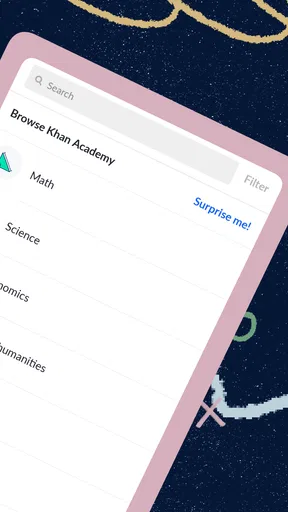
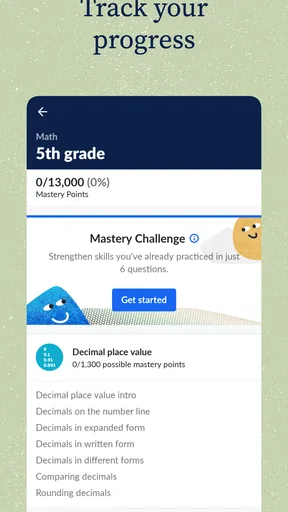
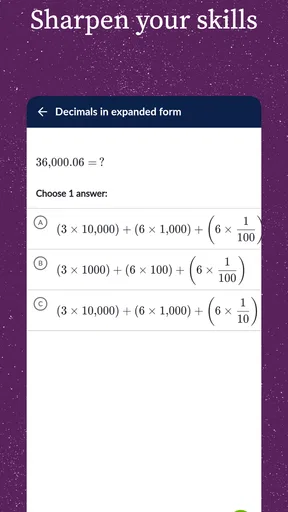
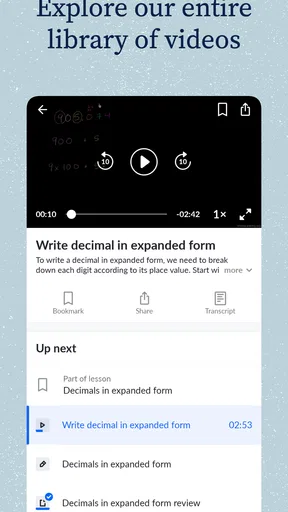
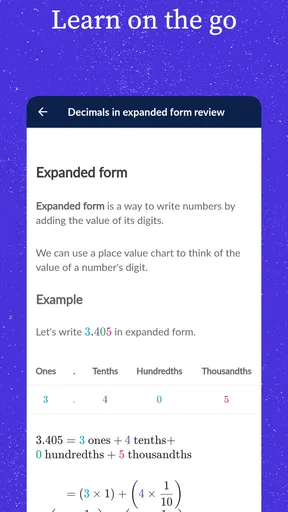
Our Review of Khan Academy
 Analysis by Appyee
I approached Khan Academy as an everyday learning tool rather than a quick way to collect answers. It is a free education app from Khan Academy, aimed at helping people study subjects in manageable steps. After spending time with it, I found its biggest strength is the way it turns a vague goal such as “I need to understand algebra” into a sequence of smaller tasks. That sounds simple, but it makes a real difference when you are studying alone.
The app is listed for Teen users, and its audience is broad: school students, adults revisiting forgotten topics, parents looking for an additional learning resource, and anyone who prefers explanations they can pause and revisit. Its store summary says you can learn anything, which is an ambitious promise. My experience is more specific: it is particularly useful when you want structured practice and clear explanations, but it is not a complete replacement for a teacher, a school course, or specialist instruction.
How Khan Academy feels to use when trust matters
I pay closest attention to the choices around an account, shared devices, and reminders, because those details shape whether a learning routine feels comfortable as well as useful. I’d make those checks part of the first session, then keep the setup simple enough that it doesn’t become another task to manage. That practical starting point leads naturally to the habits that help me study more efficiently.
A familiar education name with a practical focus
The developer name matters here because learning apps often ask users to spend a great deal of time inside a single system. Khan Academy is not presented as a casual quiz game or a thin collection of motivational videos. It is built around lessons, practice, progress, and the gradual development of understanding. That gives the app a more serious feel than many flashcard products, although it also means the experience can feel less exciting if you want constant rewards or fast entertainment.
The app has been available since September 2015, and its current version is 8.5.1. It has reached over ten million installs and holds an average rating of 4.1 from around 173 thousand ratings. Those figures suggest a substantial user base, but I would not treat popularity as proof that every part of the experience will suit you. The more useful question is whether you want guided learning or simply a fast answer to one question.
For me, the trust question begins with expectations. Khan Academy works best when I treat it as a study companion: I choose a topic, follow the explanation, attempt the exercise myself, and return later to the areas where I made mistakes. If I use it only to rush through a lesson, its value drops quickly. The app rewards patience more than speed, and that is a healthy quality for an education product.
What the free price changes
The app is free, which removes one of the biggest barriers to trying it. I can install it, explore the learning material, and decide whether the teaching style works for me without first committing money. That is especially helpful for families comparing resources or for adults who are unsure whether they will maintain a study habit.
Free access also changes the way I judge the app. I do not expect the same personal attention I would receive from a tutor. The explanations need to serve many learners at once, so a topic that feels perfectly clear to one person may require another source for someone else. The absence of a paid commitment is convenient, but it does not remove the need for self-discipline.
One practical advantage is that I can use it alongside an existing class instead of choosing between the two. If a teacher introduces a concept too quickly, I can use the app to review the foundation. If the app gives me a basic understanding but I need exam-specific guidance, I can return to my course materials. That combination is more realistic than expecting one mobile app to handle every learning situation.
Learning without confusing activity for progress
The most important habit is to separate watching from learning. A video can feel familiar without proving that I can solve a problem independently. I get more value when I stop before the explanation ends, predict the next step, and then check my thinking. Afterward, I try a practice question without looking back.
This is one of the less obvious trade-offs in the app. Its guided structure makes it easy to keep moving, but moving through screens is not the same as mastering a subject. I recommend keeping a small note of mistakes rather than simply repeating an exercise until the answer is correct. Writing down why the first attempt failed gives the progress system a useful purpose.
A realistic example is a student preparing for a mathematics test after dinner. Instead of opening the app and browsing randomly, I would select the exact skill connected to the homework, complete one short learning segment, and then solve two or three related problems on paper. If the same error appears again, I would pause the app and ask a teacher, classmate, or another reference for clarification. That workflow keeps the app in its proper role: a guide and practice space, not an automatic substitute for human feedback.
Account choices and visible user control
When I evaluate an education app, I pay attention to what the user can control rather than assuming that a familiar brand answers every privacy question. Khan Academy is most useful when I make deliberate choices about how I use it: whether I want to maintain a personal learning path, whether I am comfortable signing in, and whether I want progress to be associated with an account.
Those choices matter more for younger learners. A parent or guardian should look through the sign-up process and the available account settings with the child, rather than handing over a device and assuming the defaults are ideal. The Teen content rating is a useful signal about the intended audience, but it is not a substitute for family supervision or a conversation about online accounts.
I also prefer to keep the profile focused on learning. A study app does not need to become a public identity or a place where I share more personal information than necessary. Before creating an account, I would read the current privacy and account explanations presented during registration, check what information is requested, and revisit settings if the app changes over time. That is a sensible routine for any service that stores learning activity.
Data-sensitive moments during study
The most sensitive moments are not the lesson explanations themselves; they are the points where personal details, progress records, or activity history may become connected to an account. A learner may be comfortable using educational material anonymously or casually but feel differently about maintaining a long-term record of completed work. I think that distinction is worth considering before signing in.
I would also be cautious when using the app on a shared family device. Leaving an account open can expose another person to the learner’s progress or allow accidental changes. A simple sign-out habit, device lock, and separate user profiles where available are more useful than relying on assumptions about who will see what.
Notifications deserve similar attention. Study reminders can help establish a routine, but they can also become distracting or reveal learning activity on a locked screen. I would review notification controls after installation and keep only the prompts that genuinely support my schedule. If reminders begin to feel like pressure, turning them down is not giving up; it is adjusting the tool so that it remains helpful.
I avoid entering sensitive personal stories into any learning field unless there is a clear reason to do so. For ordinary practice, subject answers are enough. Keeping the information I share relevant to the educational task reduces unnecessary exposure and makes the account easier to manage later.
Where the app is stronger than usual alternatives
Compared with a search engine, Khan Academy gives me a path instead of a pile of disconnected results. A search can find a clever explanation quickly, but it may not tell me what to learn next or whether I have understood the prerequisite. The app is better when I need progression and repetition.
Compared with a flashcard app, it is more suitable for concepts that require reasoning. Flashcards are excellent for vocabulary, formulas, and quick recall, but they can encourage recognition without understanding. Khan Academy’s lesson-and-practice approach gives me more room to work through an idea before testing it.
Compared with a live tutor, however, it is less flexible. A tutor can notice confusion, change the explanation instantly, and connect a concept to a learner’s exact mistake. The app can guide me through material, but it cannot fully replace that personal diagnosis. If I repeatedly fail despite reviewing the same skill, I would stop cycling through the app and seek a person who can inspect my reasoning.
It also differs from a school learning platform. A school system usually organizes assignments, deadlines, grades, and teacher communication. Khan Academy is better viewed as an independent practice environment. That makes it useful outside class, but it may not match the exact order or terminology used by a particular teacher.
Small workflows that make a big difference
My preferred workflow starts with a diagnostic question: what do I want to be able to do after this session? “Study science” is too broad. “Explain the difference between these two processes” or “solve this type of equation without help” gives the session a clear finish line.
Next, I use the app’s sequence rather than jumping between unrelated topics. The temptation to browse is strong because the catalog is broad, but scattered learning can create the illusion of progress. Staying with one skill until I can explain the method in my own words is more effective than collecting partially completed lessons.
I also use a two-pass method. On the first pass, I focus on understanding the explanation and identifying unfamiliar terms. On the second, I attempt practice without replaying every step. This avoids a common trap: replaying a lesson so often that it feels easy only because the answer is already familiar.
Finally, I schedule a short return visit rather than relying on one long session. A brief review the next day reveals whether I truly remember the idea. This is a practical advantage of having progress organized in an app, but it only works if I treat the record as a guide, not as a score that must be kept perfect.
Who should use it, and who should be cautious
I would recommend Khan Academy to learners who want a free starting point, appreciate clear structure, and are willing to practice rather than passively watch. It is especially helpful for filling gaps between school lessons, refreshing a subject after a long break, or building confidence before attempting harder material.
Parents may also find it useful as a shared learning resource, provided they stay involved enough to understand what the child is studying and how the account is being used. The Teen age rating means families should make their own judgment about suitability, particularly for younger children and shared devices.
I would be cautious about recommending it as the only resource for a high-stakes exam. The app can strengthen foundations, but exam preparation may require a syllabus-specific plan, timed practice, feedback on written work, or direct help with unusual question styles. Someone who needs accessibility support, specialist professional training, or immediate personal tutoring should compare it with a service designed for that need.
I would also skip it if I know I learn poorly from self-directed study and have no plan to ask for help. The app cannot create motivation on my behalf. Its free access makes experimentation easy, but a lack of structure in my own routine can still leave lessons unfinished.
My cautious verdict after using it
Khan Academy earns my recommendation as a dependable first stop for structured, self-paced education. Its strongest qualities are the free entry point, the emphasis on understanding through practice, and the ability to return to foundational material without embarrassment. I value that it encourages me to work through a topic instead of merely searching for a final answer.
My recommendation comes with boundaries. I would check account and privacy choices carefully, especially when a young person is involved; keep notifications and shared-device access under control; and avoid treating completed lessons as proof of mastery. I would also bring in a teacher, tutor, or another trusted source when the same misunderstanding keeps returning.
The rating of 4.1 from around 173 thousand ratings and its reach of more than ten million installs show that many people have made it part of their learning routine, but those figures are only context. The real test is whether its style matches the way you study. For me, it works best as a calm, practical companion: free to try, useful for rebuilding knowledge, and trustworthy when I remain an active participant in my own learning choices.
Privacy and Permissions
See what permissions an app requests and how it handles your data.
- Phone
- read phone status and identity
- Photos/Media/Files
- read the contents of your USB storage, modify or delete the contents of your USB storage
- Storage
- read the contents of your USB storage, modify or delete the contents of your USB storage
- Camera
- take pictures and videos
- Wi-Fi connection information
- view Wi-Fi connections
- Device ID & call information
- read phone status and identity
- Other
- view network connections, full network access, run at startup, control vibration, prevent device from sleeping
Verdict
Strengths of Khan Academy
- Free access to high-quality lessons across many academic subjects.
- Clear explanations supported by videos, articles, exercises, and practice tools.
- Personalized learning paths help users study at their own pace.
- Progress tracking and mastery goals make learning achievements easy to follow.
- Useful for independent learners, students, parents, and teachers.
Limitations of Khan Academy
- Some advanced topics have less content than core school subjects.
- The app may feel less engaging for users who prefer live instruction.
- Practice exercises can become repetitive after extended study sessions.
- Offline access is limited for some lessons and learning materials.
- Progress features may be confusing when switching between different subjects.
Other Releases by Khan Academy
View All
Khan Academy Kids
Education4.6
Similar Picks in This Category
View All
Duolingo: Language Lessons
Duolingo4.7

Google Classroom
Google LLC2.8

Unacademy: Learn & Crack Exams
Unacademy3.2

Bible App for Kids
Life.Church4.4

Cake - Learn English & Korean
Cake Corp.4.7

Brainly: AI Homework Helper
Brainly4.5
Frequently Asked Questions
What is Khan Academy, and what can I learn with it?
Khan Academy is a free educational platform offering lessons, practice exercises, quizzes, and progress tracking for students and independent learners. Its library covers mathematics, science, economics, history, grammar, computing, and other subjects. Content is organized by topic and level, making it useful for reviewing basic concepts, following a school curriculum, or studying independently at your own pace.
Is Khan Academy completely free to use?
Yes, Khan Academy provides its core educational content free of charge, without requiring a paid subscription for standard lessons, exercises, and learning tools. The organization is supported primarily through donations. However, users should remember that internet access may generate mobile data charges, and some optional features or related educational services may have different availability depending on the region or platform.
Does Khan Academy work offline on Android or iOS?
Khan Academy offers offline access for selected educational videos through its mobile applications, which can be useful when traveling or studying without a reliable connection. Offline availability is not necessarily identical for every lesson or feature, and interactive exercises generally require connectivity. It is best to download videos in advance while connected to Wi-Fi and check your device’s available storage.
Is Khan Academy suitable for children and school students?
Khan Academy can be very helpful for children and students because it explains concepts step by step and provides practice activities with immediate feedback. Younger learners may still need guidance from a parent, teacher, or tutor, especially when choosing appropriate courses and maintaining motivation. Parents should also review account settings, privacy information, and local age requirements before creating an account.
Do I need an account to use Khan Academy?
You can access much of Khan Academy’s learning material without creating an account, including many videos and practice resources. However, signing in allows the app to save progress, recommend activities, record completed work, and synchronize learning between supported devices. An account is particularly useful for long-term study, although users should review the platform’s privacy policy before providing personal information.
